Think of an RRSP tax deduction calculator as a smart tool for your tax return. It’s a simple way to see exactly how much cash you could get back from the government just for saving for your own retirement.
Here’s the deal: every dollar you put into your RRSP (Registered Retirement Savings Plan) is a dollar that gets subtracted from your total income for the year. This lowers your taxable income, which in turn shrinks your tax bill. A calculator just does the quick math to show you the end result in a clear, simple way.
How An RRSP Calculator Figures Out Your Tax Refund
At its core, the RRSP is one of the best tax-cutting tools a Canadian has. When you contribute, you’re essentially telling the government, "Hey, don't tax this portion of my income this year." The calculator simply visualizes that instruction in dollars and cents, making it easy to understand your potential savings.
This immediate tax break is why you see that mad dash to contribute before the deadline every year. The calculation is surprisingly simple: your contribution reduces your taxable income, and your refund is the tax you would have paid on that money if you hadn't tucked it away.
The Math Behind The Savings
So, how much do you actually save? It all comes down to your marginal tax rate. This is the combined federal and provincial tax rate you pay on your last, or "highest," dollars of income.
An RRSP contribution effectively shaves money right off the top of your income pile, meaning you avoid paying that high marginal rate on it.
Let's use an everyday Canadian scenario. Say you're an Ontario resident earning $90,000 a year. If you contribute $5,000 to your RRSP, you’ll knock your federal tax down by 20.50% of that amount and your provincial tax by another 9.15%. That works out to a tax saving of around $1,482—cash you get back just for saving. You can explore the latest tax bracket details to see how this plays out for your specific income.
The real magic of an RRSP contribution is how it directly cuts your taxable income. You get a tax credit equal to your contribution multiplied by your highest marginal tax rate, which often leads to a pretty nice refund cheque.
Visualizing Your Potential Refund
To paint a clearer picture, let's look at how this works for someone living in Ontario. The table below gives a quick snapshot of the potential savings at different income levels.
Estimated RRSP Tax Savings by Income and Contribution
This table shows the potential combined federal and provincial tax savings for different annual incomes and RRSP contribution amounts, using Ontario as a sample province.
| Annual Income | $5,000 Contribution Savings | $10,000 Contribution Savings | Effective Savings Rate |
|---|---|---|---|
| $60,000 | ~$1,482 | ~$2,965 | 29.65% |
| $95,000 | ~$1,992 | ~$3,985 | 39.85% |
| $120,000 | ~$2,170 | ~$4,341 | 43.41% |
Heads up: These are just estimates. Your actual savings depend on your unique financial situation.
This is exactly where having the right tools makes a difference. Instead of waiting until tax season, a platform like NeoSpend helps you manage your money smarter. It gives you a live preview of your potential tax savings as you track your income and contributions throughout the year. It's about making smart decisions on the fly, not just once a year.
Understanding the Tax Rules Behind the Calculator
To really get the most out of an RRSP tax deduction calculator, you need to peek behind the curtain at the simple rules it’s running on. Think of them as the engine powering your tax savings. Once you get how it works, the calculator stops being a magic box and becomes a smart planning tool you can use with confidence.
It all starts with your marginal tax rate. Picture your income as a series of buckets. As you fill one bucket, you move to the next, and each new bucket is taxed at a slightly higher rate than the one before it. Your marginal tax rate is simply the tax rate you pay on the income in your very top bucket. An RRSP contribution effectively scoops some money out of that top bucket, letting you sidestep the highest tax rate you would have otherwise paid.
This is how saving for retirement gives you an immediate win on your tax return.
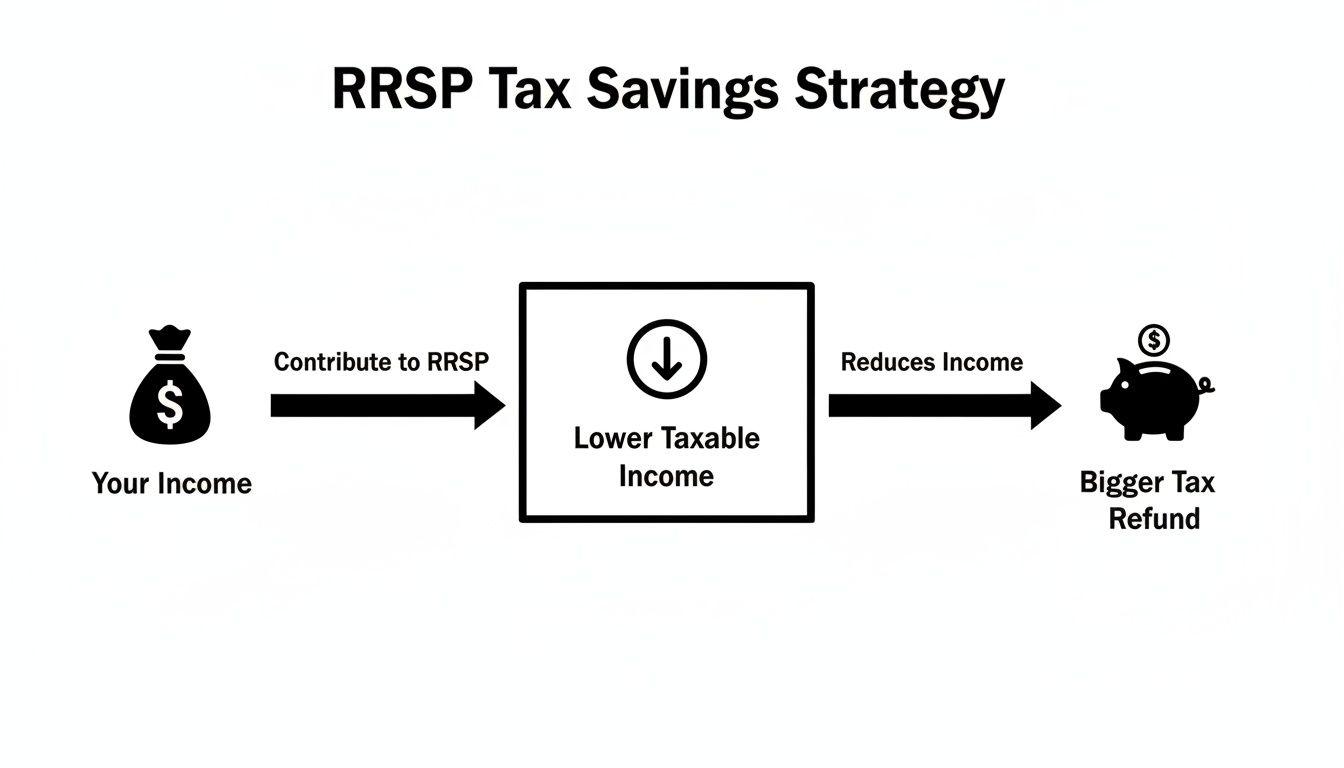
It’s a direct line: contribute to your future, and you get a bigger refund now. It’s that simple.
Your Contribution Limit and Carry-Forward Room
Of course, you can't just contribute an infinite amount. Your RRSP contribution limit is the maximum you can put in your RRSP each year and get a deduction for. The magic number is 18% of your earned income from the previous year, capped at a maximum amount set by the government.
But what if you don’t hit your limit one year? No worries. The Canada Revenue Agency (CRA) lets you carry that unused contribution room forward. This leftover space just keeps adding up, which is perfect for making bigger catch-up contributions down the road—maybe when you’re earning more and a larger deduction will save you even more tax.
Your exact contribution limit is right there on your latest Notice of Assessment from the CRA. It's the most important number to check before you contribute so you can maximize your deduction without accidentally going over.
How Your Province Plays a Role
Finally, where you live matters—a lot. Canada has both federal and provincial tax systems, so your total marginal tax rate is a combo of the two. Since every province has its own tax brackets, a $5,000 contribution in Alberta won't give you the same refund as it would in Quebec, even if you earn the exact same income. Any good calculator will ask for your province to make sure its estimate is on the money.
Once you get a handle on these three things—marginal rates, contribution limits, and provincial taxes—you’re in a much better position to use an RRSP calculator effectively. It's this kind of clarity that we build into tools like NeoSpend, helping you connect the dots between your savings habits and your long-term financial success.
Let's See the Math in Action: Real-World Scenarios
Okay, enough with the theory. The best way to really get how powerful an RRSP contribution can be is to see it work for real people. Let’s walk through a couple of common Canadian scenarios to show you exactly how an RRSP tax deduction calculator does its thing.

The core idea is beautifully simple: Your gross income minus your RRSP contribution equals your new, lower taxable income. From there, the savings start to become obvious.
Example One: Maxing Out a Refund
Meet Liam. He’s a software developer in British Columbia pulling in $95,000 a year. He wants to know what a $10,000 RRSP contribution will do for his tax refund. At his income level, his combined federal and provincial marginal tax rate is sitting at about 38.29%.
Here’s how it breaks down for him:
- Original Gross Income: $95,000
- RRSP Contribution: -$10,000
- New Taxable Income: $85,000
By making that contribution, Liam effectively chops $10,000 right off the top of his income—the portion that’s taxed at his highest rate. His estimated tax savings are just his contribution multiplied by that rate.
$10,000 (Contribution) x 38.29% (Marginal Tax Rate) = ~$3,829
That’s huge. Liam is looking at a tax refund of roughly $3,829 just for saving for his own retirement. That’s cash he would have kissed goodbye to taxes, now back in his bank account.
Example Two: Playing the Bracket Game
Now for Maya, a nurse in Nova Scotia earning $70,000. Her goal is a bit more strategic. She wants to put just enough into her RRSP to nudge herself into a lower tax bracket, making every dollar she contributes work as hard as possible.
In Nova Scotia, there's a significant tax bracket jump once you earn over $66,295. Maya wants to get her income just under that line.
Here’s her surgical strike:
- Gross Income: $70,000
- Target Income Threshold: $66,295
- Required Contribution: $3,705 ($70,000 - $66,295)
By contributing exactly $3,705, Maya not only builds her retirement fund but also makes sure more of her income is taxed at a lower provincial rate. It’s a small, precise move with a surprisingly big impact on her final tax bill.
These examples show that whether you’re chasing a big refund or making a tactical adjustment, the math isn’t that complicated. An RRSP tax deduction calculator just automates the whole thing, giving you the clarity to make smart moves with your money.
This is exactly why integrated tools, like the features you'll find in NeoSpend, are so incredibly useful. They help you manage money smarter by letting you see these what-if scenarios in real-time, connecting your savings goals directly to your tax strategy.
Gathering the Right Information for an Accurate Result
Any RRSP tax deduction calculator is only as smart as the numbers you feed it. Think of it like a recipe: if you estimate the ingredients, you’ll get a result, but it might not be the delicious cake you were hoping for. To get a truly accurate picture of your tax savings, you need to pull together a few key pieces of your financial puzzle first.

Don't worry, this isn't nearly as complicated as it sounds. With just a couple of documents and a clear idea of your numbers, you can make sure your calculation is rock-solid.
Your Essential Inputs Checklist
Before you start typing numbers into any calculator, grab these details. Having them on hand will make the whole process a lot smoother and give you a result you can actually trust.
- Your Annual Gross Income: This is your total income before a single dollar is taken off for taxes or other deductions. Make sure you include everything—your main salary, any freelance gigs, or side-hustle money. Forgetting those extra income streams is a classic mistake that can really skew your results.
- Your Province or Territory of Residence: Where you live on December 31st matters a lot. This determines your provincial tax rates, which, as we’ve seen, play a huge role in your final refund. It’s a non-negotiable input for any Canadian RRSP calculator.
- Your Planned RRSP Contribution: This one's straightforward—it’s the amount you’re planning to put into your RRSP for the tax year. Whether it's one big deposit or the total of your regular contributions, have this number ready.
- Your Unused Contribution Room: This is a big one. Any contribution room you didn’t use in past years gets carried forward, and you can use it now. The definitive source for this number is your latest Notice of Assessment (NOA) from the Canada Revenue Agency (CRA).
Your Notice of Assessment is the single most important document for confirming your RRSP deduction limit. Always check it before making a large contribution to avoid penalties for over-contributing.
Don't Forget the Details
A couple of other things can tweak your taxable income, which in turn affects your RRSP deduction. For example, if you have a pension plan at work, your T4 slip will show a Pension Adjustment (PA). This number reduces your new RRSP contribution room for the year, and a good calculator will have a spot for it.
This is where a tool like NeoSpend can be a lifesaver. It automatically keeps track of all your different income sources, giving you a complete and accurate picture of your gross income without you having to dig for it. Instead of hunting through different accounts and spreadsheets, you get one single source of truth to manage your money smarter. That way, you know the numbers you’re plugging into the calculator are as precise as they can be.
How to Choose a Reliable RRSP Calculator
A quick search for an RRSP tax deduction calculator will give you a dizzying number of options. But how do you pick one you can actually trust? It can feel like a bit of a chore, but finding a good one is worth it for getting clear, practical guidance.
A reliable calculator doesn’t just spit out a number; it gives you a solid estimate you can use for serious financial planning. It’s all about knowing what to look for. The best tools are built on a foundation of current tax information—it's not just about doing the math right, but starting with the right numbers in the first place.
Key Features of a Trustworthy Calculator
When you’re trying out a calculator, keep an eye out for a few non-negotiable features. A slick interface is nice, but accuracy is everything. Without the right inputs, the output is just a guess.
Here’s a quick checklist to help you separate the genuinely useful tools from the rest:
- It asks for your province. This is a dead giveaway. Your tax refund is a mix of federal and provincial savings, so any calculator that skips this question is guaranteed to give you an inaccurate number. It’s the first and most obvious sign of a quality tool.
- It includes your unused contribution room. A spot to enter your carry-forward room is crucial for smart planning. It lets you play around with different scenarios, like making a larger "catch-up" contribution—something many Canadians do.
- It uses up-to-date tax brackets. The tool should be working with the current tax year’s brackets. If it’s using outdated figures, your refund estimate will be off. Look for a note somewhere on the page that says when it was last updated.
- It has a clear, simple interface. You shouldn't need a finance degree to figure it out. The best calculators are user-friendly, with clearly labelled fields and results that make immediate sense.
Standalone Calculators vs. Integrated Financial Apps
You’ll generally find two kinds of tools out there: standalone calculators on a webpage and features built right into financial management apps. A web calculator is great for a quick, one-off estimate, but an integrated tool gives you a much bigger, more useful picture.
The real power of an integrated app is context. Seeing how a potential RRSP contribution immediately impacts your overall budget, savings goals, and net worth gives you the full story, not just a single, isolated number.
This is where an app like NeoSpend really shines. Instead of you having to manually punch in your income and other details, NeoSpend already has that holistic view of your finances. It helps you manage your money smarter by connecting a potential RRSP contribution to your real-time financial data, helping you make decisions that actually align with your entire money strategy.
This approach turns a simple calculation into a powerful planning session, giving you the confidence to make the right moves for your retirement savings.
Common Questions About RRSP Tax Deductions
Let’s be real, RRSPs can feel a bit complicated, especially when you’re trying to squeeze every last drop of value out of your tax deductions. Here are some straightforward, practical answers to the questions we hear most often, so you can plan your contributions with confidence.
When Is the Best Time to Contribute to an RRSP?
Officially, you have until 60 days after December 31 to make a contribution for the previous tax year. That’s why you see that big rush every February. But honestly, waiting until the last minute is rarely the best move.
A much smarter—and less stressful—approach is to set up small, automated contributions throughout the year. It’s easier on your cash flow, and it gives your money more time to actually work for you and grow inside the account. An app like NeoSpend can automate this, turning that once-a-year scramble into a simple, set-it-and-forget-it habit.
What Happens If I Contribute Too Much to My RRSP?
The Canada Revenue Agency (CRA) gives you a little bit of wiggle room. You can over-contribute by up to $2,000 in your lifetime without getting dinged. But go even one dollar over that buffer, and you’ll face a penalty tax of 1% per month on the excess amount until you pull it out. Ouch.
Before you drop a big lump sum into your RRSP, do yourself a favour and check your latest Notice of Assessment from the CRA. It clearly spells out your exact deduction limit, so you can max out your savings without accidentally stepping over the line.
Can I Reinvest My Tax Refund into My RRSP?
Yes! And you absolutely should. This is one of the most powerful ways to put your retirement savings on autopilot. When you take the tax refund you get from this year's contribution and immediately roll it into next year’s RRSP, you create an amazing compounding cycle. Your tax savings literally start generating their own tax savings.
People often call this the "refund rollover" strategy. With the right financial tools, you can earmark that refund for your RRSP the moment it hits your account, turning your tax return into a core part of your wealth-building engine.
Does My Province Change My RRSP Tax Deduction?
It sure does. Your final tax savings are a mix of both federal and provincial tax breaks. Since every province and territory has its own tax brackets and rates, the refund you get will depend entirely on where you file your taxes.
Making a $10,000 contribution while living in Alberta will give you a different refund than if you earned the same income in Quebec. This is exactly why any good RRSP tax deduction calculator will always ask for your province—without it, the estimate would be way off.
Key Takeaway: An RRSP tax deduction calculator is a powerful tool for planning your finances. By understanding how your income, contribution amount, and province affect your tax refund, you can make smarter decisions that boost both your retirement savings and your immediate tax return.
Ready to see how your savings decisions fit into your bigger financial picture? NeoSpend brings it all together, helping you manage money smarter by connecting your RRSP strategy with your daily budget and future goals. Take control of your finances by checking out what we do at https://neospend.com.