Every year, the Canadian government sets the annual TFSA contribution limit. But here’s the key detail many people miss: your personal limit is often much larger than that single number. Think of it as a running total that has been growing every single year you’ve been eligible, creating a powerful space for your savings to grow completely tax-free.
What Is the TFSA Contribution Limit
Let’s clear up the biggest point of confusion right away. Your personal TFSA contribution limit isn’t just the dollar amount announced for the current year. It’s the total, cumulative space you’ve earned over time—even if you’ve never opened a TFSA.
A great way to think of it is as a financial bucket. Every year since 2009 that you’ve been 18 or older and a Canadian resident, the government has added more space to your bucket.
- It’s Cumulative: Didn't max out your TFSA last year? No problem. Any unused room carries forward, waiting for you indefinitely.
- It’s Personal: Your limit is unique to you, based on your age and residency status since the TFSA was introduced in 2009.
- It’s Automatic: You don’t need to apply for this room or do anything to get it. It builds up for you behind the scenes.
This flexible design is what makes the TFSA such an accessible and forgiving savings tool for nearly every Canadian.
The Bucket Analogy Explained
Imagine an empty bucket starting in 2009 (or the year you turned 18, if later). Each year, the government announces the annual limit, and that much space gets added to your bucket. If the limit is $7,000 this year, your bucket just got $7,000 bigger. It’s that simple.
When you deposit money, you fill up a bit of that space. Any room you don't use stays there for the future. And if you take money out? The exact amount you withdrew gets added back to your bucket's total capacity, but you have to wait until January 1st of the next year to use it again. Understanding this simple concept is the key to mastering your TFSA.
The real power of the TFSA isn't just tax-free growth. It's that your contribution room is a reusable resource that grows with you throughout your financial life.
Since its launch in 2009, the TFSA has changed the game for Canadian savers. Data from Statistics Canada shows just how popular it’s become, with family participation nearly doubling in its first decade from 21.0% in 2009 to 39.4% by 2020. You can dig into the numbers yourself in the official Statistics Canada report.
Understanding how this cumulative room works is the first step. For savvy savers using NeoSpend, keeping tabs on deposits across multiple accounts is a breeze. You get a clear, real-time picture of how much room you've used and how much is still left in your financial bucket, helping you manage your money smarter.
How Your Total Contribution Room Is Calculated
Figuring out your personal TFSA limit isn't as complicated as it sounds. Your total contribution room is built from three simple parts, giving you a clear number to work with.
It all boils down to a simple formula: Unused Room from Past Years + This Year's Annual Limit + Withdrawals from Last Year. Let’s break down what each of those parts really means for you.
Your personal TFSA journey began the year you turned 18 or in 2009, whichever came later. From that moment, you started accumulating contribution room every single year, whether you opened an account or not. This is a crucial point many Canadians miss—the room is yours by right, not by action.
The Building Blocks of Your TFSA Limit
The foundation of your limit is the annual TFSA dollar limit set by the government each year. This amount gets added to every eligible Canadian's contribution room on January 1st. Even if you've never saved a dollar, this space has been quietly growing for you.
For a practical example, imagine you turned 18 back in 2009, the year the TFSA launched. The first limit was a modest $5,000. If you've been eligible since then and never contributed, your cumulative TFSA room would reach an impressive $95,000 by the start of 2024.
The journey to that number had some variation, including a standout year in 2015 with a $10,000 limit. For 2024, the limit is $7,000, pushing the lifetime total even higher for those early adopters. You can get a detailed look at the TFSA contribution limit history to see the full timeline.
The timeline below shows just how the TFSA has evolved, from its launch to a significant limit increase and its growing popularity among Canadians.
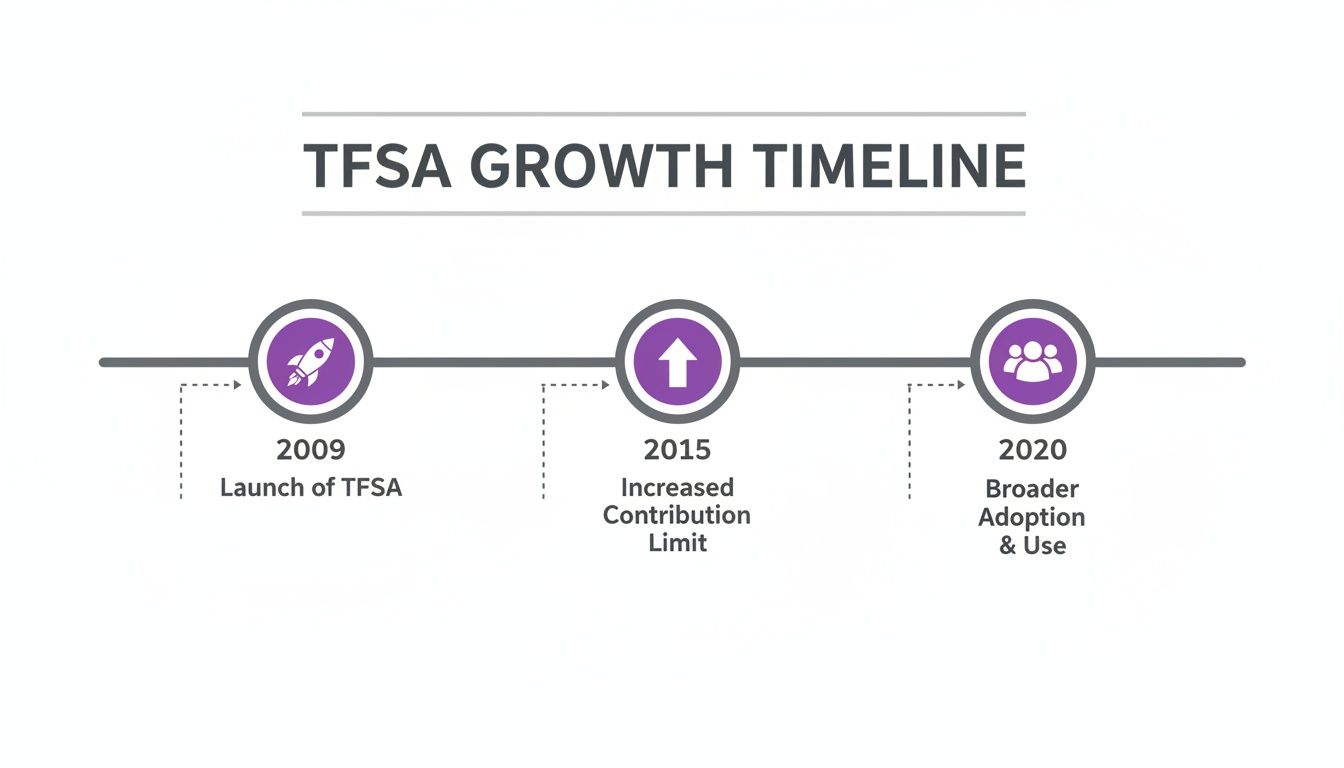
This visual journey highlights how the program has matured, offering more space for Canadians to grow their savings tax-free over time.
Calculating Your Cumulative Room
So, how do you find your exact number? You just need to add up the annual limits for every year you were eligible.
Your cumulative TFSA room is the sum of all annual limits since you became eligible, minus your total contributions, plus any withdrawals you made in previous years. It’s a dynamic number that reflects your entire history with the account.
To make it easy, here’s a year-by-year breakdown of the annual TFSA dollar limit. You can use it to calculate your cumulative contribution room.
Annual TFSA Contribution Limits By Year
| Year | Annual Contribution Limit |
|---|---|
| 2009-2012 | $5,000 |
| 2013-2014 | $5,500 |
| 2015 | $10,000 |
| 2016-2018 | $5,500 |
| 2019-2022 | $6,000 |
| 2023 | $6,500 |
| 2024 | $7,000 |
Just add up the limits for each year you were 18 or older and a resident of Canada to find your starting total. If you've never deposited a cent, this is your lifetime contribution room.
Keeping track of these moving parts—past room, new limits, and withdrawals—can be a chore. This is where an app like NeoSpend makes a real difference. By securely connecting your accounts, NeoSpend gives you a unified view of your financial life, making it simple to monitor your contributions in real time and ensure you always know your exact TFSA limit.
Understanding TFSA Withdrawals and Re-Contributions
One of the best features of a TFSA is its flexibility. Unlike an RRSP, you can pull money out for anything—a vacation, a home renovation, or an emergency—without getting a tax bill. But this freedom comes with a critical rule, and getting it wrong is one of the most common and costly mistakes Canadian savers make.
Here's the rule: any amount you take out of your TFSA gets added back to your contribution room, but not until January 1st of the next year. This delay is where many people get into trouble.
Sarah’s Down Payment: A Real-World Mix-Up
Let’s look at a common Canadian scenario. Sarah has been saving diligently in her TFSA for a down payment on her first condo.
She has already used every dollar of her $95,000 available contribution room. In May, she finds her dream place and withdraws $20,000 for the down payment, completely tax-free. So far, so good.
A few months later, she gets an unexpected work bonus and decides to put that $20,000 right back into her TFSA. This is where things go wrong.
Because she already maxed out her room for the year, putting that $20,000 back in the same calendar year pushes her over the limit. The $20,000 of room she thought she created by withdrawing isn't actually available until next January.
The penalty is a stiff one: a tax of 1% per month on the over-contribution. For Sarah, that’s a $200 penalty every single month that extra money sits in her account.
The Golden Rule of TFSA Withdrawals: The contribution room you get back from a withdrawal is locked until the new year. Putting money back in before January 1st can trigger penalties if you don't have other room available.
How to Do It Right: The Re-Contribution Rule
To avoid Sarah’s expensive mistake, you just need to time it right. The Canada Revenue Agency (CRA) only recalculates your total contribution room at the start of a new calendar year, which is when they add back all withdrawals you made the year before.
Here’s how Sarah should have handled it:
- Withdraw: In May, Sarah takes out her $20,000. Her contribution room for the current year remains at $0.
- Wait: She holds onto her bonus cash until the calendar flips to the new year.
- Room Reset: On January 1st, her contribution room is recalculated. It now includes the new annual TFSA limit (let's say $7,000) PLUS the $20,000 she took out last year.
- Contribute Safely: She now has $27,000 in fresh contribution room and can deposit her $20,000 bonus without any issues.
This "next year" rule lets you use your TFSA for big life moments, but it requires patience. Moving too fast can turn a smart financial decision into a costly error.
Stay on Top of It with NeoSpend
Trying to remember all the withdrawals, contributions, and annual limits—especially if you have more than one TFSA—can feel like a juggling act. This is exactly where NeoSpend can save you from a headache. By linking your financial accounts, NeoSpend gives you a crystal-clear picture of all your TFSA activity. You can instantly see when you made a withdrawal and even set a reminder for when that room will be available again, helping you use your TFSA's flexibility without accidentally crossing the line.
What to Do If You Over-Contribute to Your TFSA
The sinking feeling when you realize you’ve put too much money into your TFSA is a common experience. While it's stressful, it's also completely fixable. The key is to act quickly to minimize the financial penalty.
The biggest issue with going over your TFSA contribution limit is the penalty tax. The Canada Revenue Agency (CRA) charges a 1% tax per month on the highest excess amount in your account for that month. Unlike an RRSP, which has a small $2,000 buffer, the TFSA has a zero-tolerance policy. Every dollar over the line gets hit with the penalty.
This tax continues to accumulate for every month the extra cash sits in your account. For example, if you accidentally over-contributed by $3,000, that’s a $30 penalty each month until you fix it. It might not sound like a lot, but it adds up quickly and negates the benefits of tax-free growth.

A Step-by-Step Plan to Fix Your Over-Contribution
If you realize you’ve gone over, don't panic. The CRA has a clear process for sorting this out. The sooner you act, the faster you can stop the monthly penalties.
Here’s a simple, three-step plan to get it fixed:
- Withdraw the Excess Funds Immediately: The moment you spot the mistake, contact your financial institution and withdraw the exact amount you over-contributed. Since the 1% tax is calculated monthly, acting fast will reduce what you owe.
- Respond to the CRA Notice: The CRA will eventually mail you a "TFSA Excess Amount Letter" explaining how much you went over and the penalty you owe. It’s crucial to respond, even if you’ve already withdrawn the funds.
- File the Necessary Tax Forms: You'll need to fill out form RC243, TFSA Return, and RC243-SCH-A, Schedule A - Excess TFSA Amounts. These forms are how you officially calculate and pay the tax you owe on the over-contribution.
Following these steps will get you back in good standing with the CRA and resolve the issue.
What Happens After You Withdraw the Money
Once you take out the excess amount, the immediate problem is solved. However, it's important to understand how this affects your contribution room. The amount you withdrew to fix the mistake will be added back to your contribution room, but just like any other withdrawal, you have to wait.
That space won't open up again until January 1st of the following year. If you try to put it back in before then, you’ll just be making the same mistake again.
The fastest way to stop the penalty tax is to remove the excess funds. Don't wait for the CRA to contact you—acting proactively shows responsibility and can simplify the process of requesting penalty relief if the error was genuine.
Prevent Errors with Smart Tracking
Of course, the best way to deal with an over-contribution is to avoid it in the first place. This means keeping careful track of your deposits, especially if you have TFSAs at more than one institution. This is where a smart financial tool like NeoSpend can be a real lifesaver. The app helps you see all your finances in one spot. By securely linking your accounts, you get a clear, real-time overview of every TFSA contribution, helping you manage your money confidently and stopping costly mistakes before they happen.
How to Track Your TFSA Contribution Room
Staying on top of your personal TFSA contribution limit is the best way to avoid penalties. Knowing your exact number gives you the confidence to save and invest without worrying about breaking the rules.
There are a couple of ways to do this, each with its own pros and cons.
The most official source is the Canada Revenue Agency (CRA). You can find their record of your limit by logging into your secure “My Account” portal on their website. However, there’s a major catch you need to be aware of.
The Problem with Relying Only on the CRA
The contribution room figure you see in your CRA My Account is almost certainly out of date.
Financial institutions only report your TFSA contributions and withdrawals to the CRA once a year. This means the number on the CRA’s website likely doesn't reflect any deposits you’ve made during the current calendar year. It’s a snapshot from the past.
For example, if you contribute $7,000 in February, that deposit probably won't show up in your CRA account until well into the next year. Relying solely on this delayed figure is a common way people accidentally over-contribute. It’s a good starting point, but it should never be your only source of truth.
The Best Methods for Accurate Tracking
Since the CRA's number can be unreliable, the best person to track your limit is you. It sounds simple, but self-tracking puts you in complete control and ensures you always have a real-time figure to work with.
- Use a simple spreadsheet. This is the classic, foolproof method. Create a basic tracker with columns for the date, the amount, and the financial institution. Every time you deposit money, add a new line. A quick “SUM” formula will give you an instant, accurate total.
- Keep all your records. Save confirmation statements or emails from your bank every time you make a TFSA contribution. This creates a paper trail you can reference if you ever need to double-check your numbers.
Your personal record-keeping is the gold standard for tracking your TFSA limit. The CRA's figure is a guide, but your own meticulous records are your best defence against accidental over-contributions.
Track Smarter with NeoSpend
If spreadsheets aren’t your style and you want a more modern, automated approach, a financial management app is the answer. A tool like NeoSpend can make a huge difference in managing your TFSA without stress.
By securely connecting all your financial accounts—including your TFSAs from different banks—NeoSpend provides a complete, unified view of your money. When you make a contribution, it automatically shows up in the app. This real-time visibility means you no longer have to manually update spreadsheets or guess if you’re getting close to your limit. NeoSpend helps you see every dollar you’ve contributed in one place, so you can maximize your tax-free savings without ever stepping over the line.
Seeing It All in Action: Real-Life TFSA Scenarios
Theory is helpful, but seeing how the rules play out in real life makes them stick. Let's look at some everyday Canadian situations to turn abstract concepts like cumulative room and withdrawal penalties into practical knowledge.
Scenario 1: The Recent Grad
Meet Maya, 23, who just landed her first full-time job. She turned 18 five years ago but has never opened a TFSA.
- Her Assumption: Maya thinks her limit for TFSA is just this year's $7,000 amount.
- The Reality: Her contribution room has been accumulating since her 18th birthday. A quick calculation shows she has $31,500 of total room ($6,000 for 2019-2022, $6,500 for 2023, and $7,000 for 2024).
- The Takeaway: Your TFSA room starts building the moment you turn 18 and are a Canadian resident, even if you don't have an account. New savers often have much more room than they realize.
Scenario 2: The Late Starter
Now, let's look at David, 45. He has spent the last two decades focused on his mortgage and kids. A TFSA wasn't on his radar, but now he's ready to catch up.
- His Situation: David has been eligible to contribute since the TFSA launched in 2009.
- The Reality: He is sitting on the maximum possible cumulative room. As of 2024, that's a whopping $95,000. He can contribute a large lump sum and start benefiting from tax-free growth immediately.
- The Takeaway: It’s never too late to start. Unused contribution room never expires, allowing Canadians at any age to take advantage of this powerful savings tool.
These scenarios highlight a key point: your personal TFSA limit isn't just a static annual number. It's a dynamic total that reflects your own unique journey, growing every year and waiting for you to use it.
Scenario 3: The Down Payment Withdrawal
Next up are Ben and Chloe, who have been saving diligently in their TFSAs to buy a house and have both maxed out their contributions.
- Their Situation: In June, they withdraw a combined $40,000 for their down payment. In October, they receive a generous cash gift and want to put it right back into their TFSAs.
- The Costly Mistake: If they re-contribute that $40,000 in the same year, they’ll face a significant over-contribution penalty. The room from their withdrawal doesn't reappear until January 1st of the next year.
- The Takeaway: The "wait until next year" rule for re-contributing is critical. When using your TFSA for big goals, patience can save you from a major penalty.
Scenario 4: The Accidental Over-Contribution
Finally, let’s talk about Priya, a savvy investor with TFSAs at two different banks. In January, she puts $5,000 in one, and in July, she adds $5,000 to the other, forgetting about her first deposit.
- Her Situation: With the annual limit at $7,000, she has accidentally over-contributed by $3,000.
- The Fix: She needs to withdraw that excess $3,000 immediately. The CRA charges a 1% monthly penalty tax on the overage, so acting fast is key.
- The Takeaway: Juggling multiple accounts is a classic way to lose track and over-contribute. An app like NeoSpend becomes a lifesaver here. By linking accounts, it provides a single, clear dashboard of your total contributions, making it easy to stay under your limit for tfsa and avoid costly mistakes.
Common TFSA Limit Questions, Answered
Let's clear up a few common questions about TFSA limits to help you use your account with confidence.
Do TFSA Transfers Affect My Contribution Room?
Not if done correctly. A direct transfer, where your new financial institution formally requests the funds from your old one (using form T2033), has zero impact on your contribution room.
However, if you withdraw the money yourself, deposit it into your chequing account, and then move it to a new TFSA, the CRA sees that as a fresh contribution. This can easily push you over your limit and trigger a penalty.
Key Takeaway: Always use the official, institution-to-institution transfer process when moving TFSA funds. It's the only guaranteed way to protect your contribution room.
Can I Deduct My TFSA Contributions on My Taxes?
This is a classic mix-up with RRSPs. The short answer is no, you cannot deduct TFSA contributions on your tax return.
You fund your TFSA with after-tax dollars. The magic happens on the back end: all investment growth and every dollar you eventually withdraw is completely tax-free.
What Happens if I Move Out of the Country?
Your TFSA situation changes if you become a non-resident of Canada. You can keep your existing TFSA open, and the funds inside will continue to grow tax-free according to Canadian rules.
The big change is that you cannot contribute any more money. You stop accumulating new contribution room for every year you're a non-resident. If you do make a contribution while you're a non-resident, you'll be charged a 1% penalty tax per month on that amount until it's removed. You'll only start earning new contribution room again once you re-establish residency in Canada.
Your Financial Takeaway: Understanding and tracking your personal TFSA contribution limit is crucial for maximizing tax-free growth without facing penalties. By using a combination of personal records and smart tools, you can confidently manage your savings. To see how NeoSpend can help you track contributions and get a clear view of your entire financial picture, explore the app at https://neospend.com.