That tap-and-go payment for your morning coffee at Tim Hortons? It feels instant, but behind the scenes, it’s a lightning-fast relay race between you, the coffee shop, and a whole network of banks. The entire journey—from your card touching the terminal to the "approved" message flashing on screen—happens in under two seconds.
It’s a complex, high-speed dance that keeps your transaction both quick and incredibly secure, and understanding it is the first step to managing your money smarter.
What Really Happens When You Tap Your Card in Canada
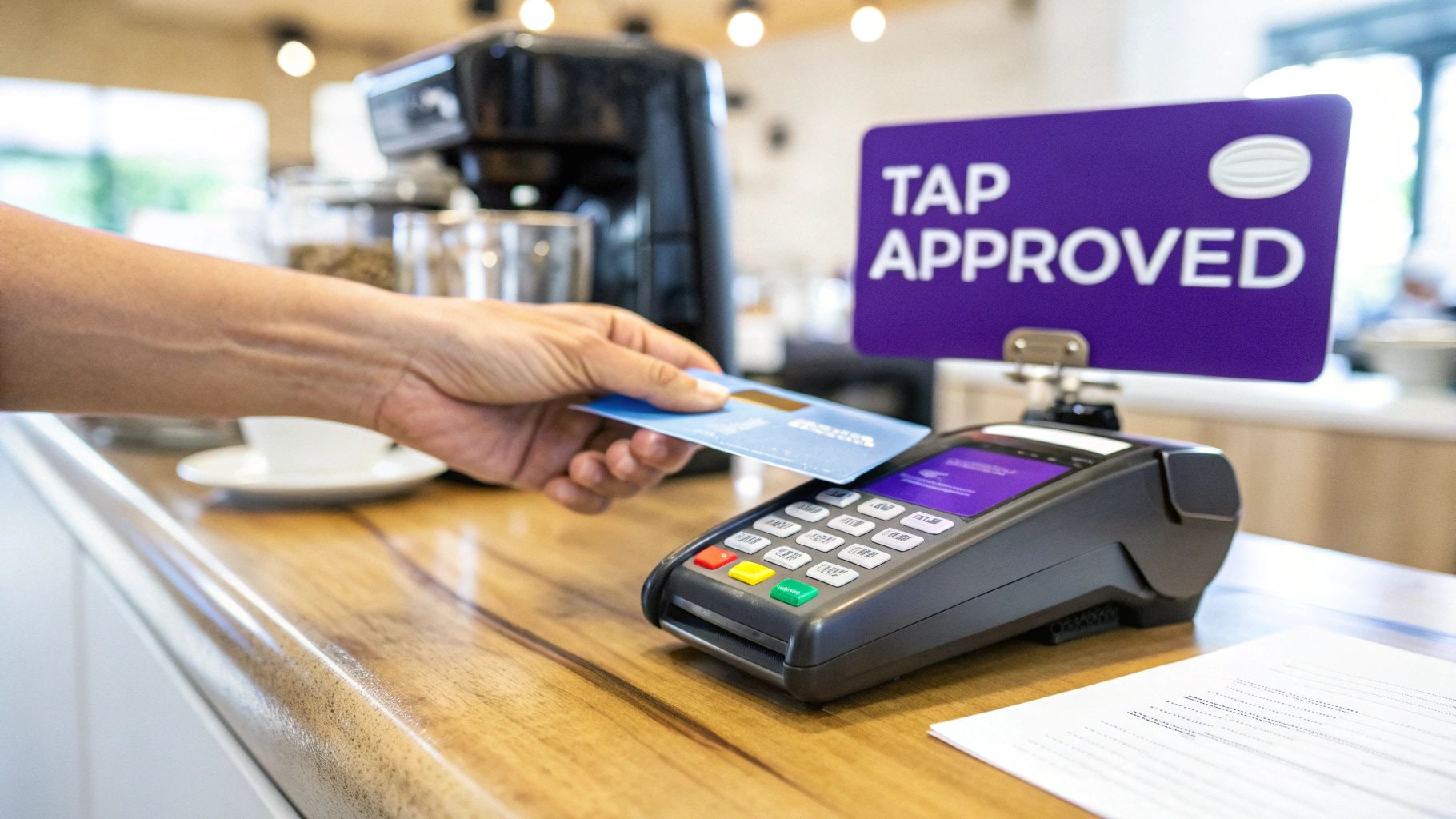
Ever stopped to think about what goes on in that split second after you tap your card for a double-double in downtown Toronto? It’s not magic—it's a perfectly choreographed process built for speed and safety.
This whole operation involves a team of key players working in sync. You've got you (the cardholder), the coffee shop (the merchant), their bank (the acquiring bank), the card network (like Visa or Mastercard), and of course, your own bank (the issuing bank).
The Five Core Stages of a Credit Card Payment
Every single time you use your card, whether it’s a quick tap for groceries at Loblaws or a big online purchase, the transaction moves through five distinct stages. This is how the shop gets paid and the purchase gets recorded on your account.
Here’s a quick look at the lifecycle of your payment.
The 5 Stages of a Credit Card Payment at a Glance
This table breaks down the entire journey of a single credit card transaction, from the moment of purchase to when it finally appears on your monthly statement.
| Stage | What Happens | Typical Timeframe |
|---|---|---|
| Authorization | Your bank gives the merchant an instant "thumbs-up," confirming you have enough credit for the purchase. | 1-2 seconds |
| Capture | At the end of the day, the merchant bundles all their transactions and sends them off for processing. | 24 hours |
| Clearing | The card network (e.g., Visa) sorts these batches and routes the payment information to the correct banks. | 24-48 hours |
| Settlement | This is the actual money-moving part. Your bank sends the funds to the merchant's bank. | 24-72 hours |
| Posting | The transaction officially lands on your credit card statement, changing from 'pending' to 'posted.' | 1-3 business days |
This system is what ensures everything runs smoothly and securely. It’s a system Canadians have fully embraced. In fact, contactless payments make up the vast majority of in-store credit card transactions in Canada, with Apple Pay and Google Pay becoming the standard at checkouts. You can discover more insights about Canadian payment trends to see how our payment habits are evolving.
The beauty of this process is that it’s completely invisible to you. You grab your coffee and go, while behind the scenes, a secure system has protected your data and verified the whole thing in a blink.
Understanding this flow is key to managing your money better. For instance, a tool like NeoSpend shows you what’s happening in real-time by categorizing transactions the moment they’re authorized. That means you can track your spending as it happens, long before the charge is officially posted, helping you stick to your budget without any surprises.
Who Are the Key Players in a Credit Card Transaction?
Ever wonder what really happens when you tap your credit card? It feels instant, but behind that simple tap is a high-speed dance between five key players. Think of it like a pit crew at a race—everyone has a specific job, and they work together flawlessly to get your payment across the finish line.
Knowing who’s on the team and what they do pulls back the curtain on your daily transactions. It’s the first step to truly understanding where your money is going and appreciating the complex security working to protect you with every purchase.
The Cardholder and the Merchant
It all starts with the two parties you already know well: you and the store.
- The Cardholder: That's you. When you tap, insert your card, or type in your details online, you’re the one kicking off the whole process.
- The Merchant: This is any business that accepts your card, whether it's your favourite Montreal café or an online shop based in Vancouver. They use a point-of-sale (POS) terminal or an online payment gateway to securely grab your payment info and send it on its way.
While you and the merchant are the faces of the transaction, the real magic happens behind the scenes.
The Financial Institutions Behind the Scenes
Three other major players are working in the background to move your data and money safely. The system simply wouldn't work without them.
1. The Acquirer (The Merchant's Bank) Often called the acquiring bank, this is the financial institution that allows the merchant to accept credit cards. You might recognize major Canadian payment processors like Moneris. They provide the store with a payment terminal and a merchant account, acting as the business's financial representative for the transaction.
2. The Issuer (Your Bank) This is the bank or credit union that gave you your credit card—think RBC, TD, or Neo Financial. Their main job is to approve or decline the transaction. They check if you have enough available credit and run security checks to make sure it’s really you. Ultimately, they’re the ones who bill you for the purchase.
Simple Tip: The Acquirer acquires transaction details from the merchant, while the Issuer issued the card to you. Getting this difference down is key to understanding the payment flow.
3. The Card Network (The Data Highway) Finally, you have the card network—the big names like Visa, Mastercard, or American Express. They’re the super-fast communication channel connecting the Acquirer and the Issuer. The network sends the authorization request from the merchant's bank over to your bank and sends the approval (or denial) back, all in seconds. They also set the rules for everyone, ensuring everything is secure and standardized.
This is why a tool like NeoSpend can show you a transaction almost instantly. It gets the data directly from your Issuer the moment it’s authorized, giving you a real-time snapshot of your spending long before the money has actually settled.
The 5 Stages of a Credit Card Payment: A Behind-the-Scenes Look
Ever wonder what really happens when you click that "Buy Now" button? That tap kicks off a complex, five-stage journey for your payment. This process is a marvel of financial engineering built for speed and security.
Let's break it down, step by step, using a real-world Canadian example: buying two tickets for $300 to see the Raptors play in Toronto.
To get a bird's-eye view, this diagram shows how all the key players—you, the merchant, their bank (acquirer), the card network, and your bank (issuer)—work together in a typical transaction.
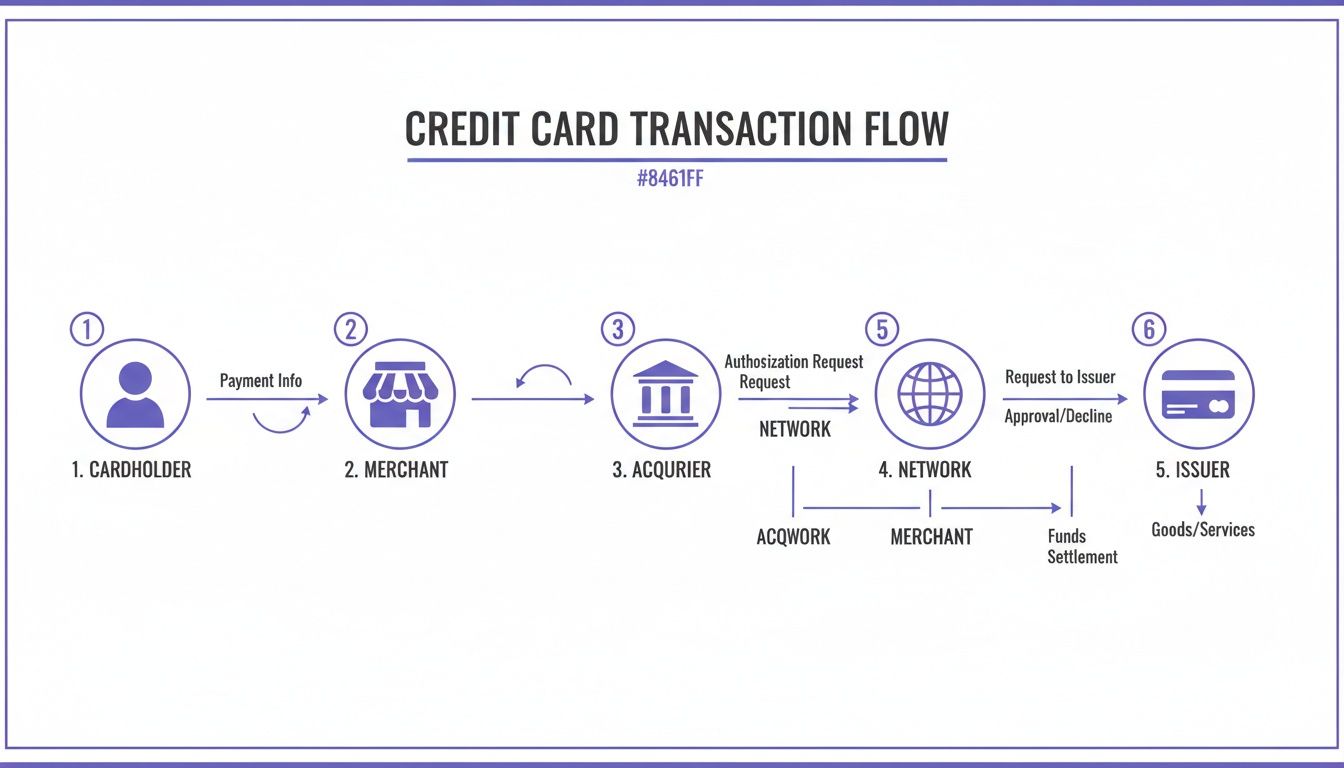
This constant loop of communication is what makes secure, nearly instant approvals possible every single time you tap, dip, or click.
Stage 1: Authorization – The Instant Green Light
The first step is authorization, and it happens in the blink of an eye. The moment you hit "Confirm Purchase," the ticket website's payment system pings your bank through a card network like Visa or Mastercard.
Your bank runs a lightning-fast check: Do you have $300 in available credit? Is the card valid? Are there any fraud alerts? If it’s all good, your bank sends an approval code back through the network to the merchant.
This entire round trip takes just a second or two. On your end, you see "Payment Successful." But here's the key: no money has actually moved yet. Instead, your bank puts a $300 hold on your account, which is why it shows up as a "pending" transaction in your NeoSpend app right away.
Stage 2: Capture – The Merchant Cashes Out
Later that day, the ticket company initiates a "capture." They bundle all their approved credit card sales from the day—including your $300 purchase—into a single batch file.
They send this batch over to their bank (the acquirer). Think of it like a shop owner tallying up the day's receipts before making a bank deposit. The capture is the official signal that the merchant is ready to collect the funds.
Stage 3: Clearing – The Great Data Exchange
Once the merchant's bank gets the batch file, the clearing stage kicks in. This is where the sorting happens. The acquirer pulls out the details of your $300 purchase and sends it to the correct card network—let's say it's Mastercard in this case.
Mastercard then acts like a central post office, sorting and directing the transaction data. It tells your bank to get the $300 ready and informs the ticket company's bank that funds are on the way. It also calculates and deducts the small interchange fees that the banks and network charge for their services.
Key Insight: Clearing is the crucial accounting step where banks reconcile all transaction details. It ensures everyone is on the same page before any actual money changes hands.
This behind-the-scenes data swap is a massive operation. Credit cards are the most popular payment method in Canada by a long shot. To get a better sense of this scale, you can explore more statistics about Canadian credit card usage.
Stage 4: Settlement – The Money Finally Moves
Now we get to the settlement. This is where the money actually gets transferred between the banks. Typically within 24 to 72 hours of your purchase, the acquirer deposits the funds (your $300, minus processing fees) into the ticket company’s bank account.
The Raptors ticket seller is now officially paid. For you, though, the charge is probably still sitting as "pending" on your credit card statement, waiting for one final step.
Stage 5: Posting – It’s Official
Finally, we hit the posting stage. This is when your bank, the issuer, officially adds the $300 charge to your credit card statement. The transaction switches from "pending" to "posted."
This is a critical moment. The posting date determines which billing cycle the purchase falls into and when your payment for those tickets is due. It's also the point where the transaction officially impacts your credit utilization ratio—an important factor for your credit score.
Inside the NeoSpend app, you’d see the transaction change its status. This real-time clarity helps you distinguish between temporary holds and finalized charges, giving you a precise, up-to-the-minute picture of what you actually owe.
How the Payment Process Affects Your Budget and Credit Score
Knowing how your credit card payment travels is interesting, but what really matters is how it impacts your wallet. The credit card payments process has a direct line to your monthly budget, whether you pay interest, and, most importantly, your credit score.
Ever see a charge show up as "pending"? That's the authorization stage in action. Your bank has approved the purchase and held the funds, but the merchant hasn't collected them yet. This delay is why it can take a day or two for that charge to officially "post" to your account.
And all those fees, like the interchange fee? That’s all handled behind the scenes between the banks and businesses. You don’t pay them directly, but they’re the cost of business that lets you tap your card at a Halifax café or shop online from your couch in Calgary.
Posting Date vs. Due Date: The Difference That Can Cost You
The most critical link between this payment journey and your bank account comes down to two dates: the posting date and the statement due date. Mixing these up is one of the quickest ways to accidentally get hit with interest charges.
Here’s a simple table to break it down.
Key Dates on Your Credit Card Statement and What They Mean
A simple guide to understanding the important dates on your credit card statement to manage payments effectively and avoid interest in Canada.
| Term | What It Means for You | Pro Tip for Canadians |
|---|---|---|
| Posting Date | This is the day a transaction officially lands on your account, moving from ‘pending’ to ‘posted.’ It determines which billing cycle the purchase falls into. | A purchase made near your statement closing date might get pushed to the next bill if it posts late, giving you more time to pay. |
| Statement Date | Also called the "closing date," this is the last day of your billing cycle. Any purchases that post after this date will show up on your next statement. | Mark this date in your calendar. It’s your cue that a new bill is on its way and it's time to review your spending for the month. |
| Payment Due Date | The final deadline to pay your bill without being charged interest. In Canada, this is typically 21-25 days after your statement date. | Always pay a few days before the due date. Bank processing times can take 1-3 business days, and a payment made on the last day might not post in time. |
At the end of the day, understanding these dates isn't just about avoiding fees—it's about controlling your cash flow.
A classic mistake is assuming a payment made on the due date is instantly applied. Because of bank processing times, it can take 1-3 business days for your payment to officially post. Play it safe and pay at least a few days early.
How Late Payments Hurt Your Credit Score
This timeline is exactly why being strategic about your payments is so important. A single late payment can do serious damage to your credit score. Your payment history makes up a whopping 35% of your score—it’s the single most important factor.
Lenders see a late payment as a massive red flag. A payment that's more than 30 days late can stay on your Canadian credit report for up to six years, making it tougher and more expensive to get a mortgage, a car loan, or even a new phone plan down the road.
Smart Payment Management with NeoSpend
Juggling multiple due dates for different cards is a headache. That’s why having a solid system is non-negotiable if you want to protect your financial health.
This is where a tool like NeoSpend can be a game-changer. It pulls all your credit card accounts into one clean dashboard, letting you see every single due date at a glance. Even better, its smart reminders give you a nudge before a bill is due, so you have plenty of time to make the payment and dodge expensive late fees.
By setting up these alerts, you’re building a financial safety net. It’s a simple habit, but it’s one of the most powerful ways to build a great credit history and keep your score strong.
Dealing With the Glitches: When Payments Go Wrong
Even the most finely tuned systems can hit a snag. The credit card payment process is highly efficient, but every so often, you'll see that dreaded "declined" message or a charge on your statement that doesn't look right.
Knowing why these things happen and what to do next can save you a ton of stress. The good news is, most of these issues are simple mix-ups that are easy to fix once you know the steps.
Why Did My Card Get Declined?
A declined card is annoying, but more often than not, it's a sign that the system's security features are doing their job. Before you worry, run through this mental checklist—it covers the most common culprits.
- Insufficient Funds or Credit: This one's the most straightforward. You might have simply hit your credit limit.
- Oops, Typo: A simple slip of the finger when typing your card number, expiry date, or the CVV code on the back is an instant no-go for online checkouts.
- "Is That Really You?" Flag: Your bank’s fraud detection is always watching. If it sees a purchase that looks out of character—like a transaction in Vancouver when you live in Toronto—it might put a temporary block on it, just in case.
- System Glitch: Sometimes, the problem is with the store's payment terminal or a shaky internet connection.
First, take a breath, double-check that you entered everything correctly, and try again. If it still doesn't go through, a quick glance at your NeoSpend app will tell you if you're close to your limit. If that’s not the issue, it’s time to call the number on the back of your card.
"I Didn't Buy That!"—Handling Unrecognized or Duplicate Charges
Seeing a charge you don't recognize or one that’s been billed twice can be alarming. The trick is to act fast, but don't panic.
A duplicate charge is usually an honest mistake. Maybe the cashier ran the payment twice, or their system had a momentary freeze during the capture phase. An unrecognized charge could be anything from a company using a different business name on your statement to actual fraud.
Here’s your game plan for getting it sorted out:
- Do Some Detective Work: First, check the details. A lot of the time, a company's registered name is different from their storefront name. A quick Google search of the name on your statement often clears things right up. With NeoSpend, you can see every transaction from all your accounts in one feed, making it easier to spot something odd the second it appears.
- Call the Merchant: If you're certain a charge is a mistake or a duplicate, your first call should be to the business. They can usually reverse the charge right away.
- Call Your Bank: If the merchant isn't helpful or you suspect it’s fraud, call your card issuer immediately. They can investigate the transaction and, if needed, start the dispute process for you.
How to Initiate a Chargeback in Canada
When you've tried to get a refund for a faulty product or a service you never received and the merchant isn't cooperating, the chargeback is your secret weapon. It’s a powerful consumer protection right that lets you ask your bank to pull the money back from the merchant.
To get started, you’ll need to contact your card issuer and explain your case. Be prepared to provide any proof you have, like receipts, photos, or emails. Your bank will then take up the fight on your behalf. It can be a lengthy process, but it’s a critical tool that ensures you aren't left out of pocket for unfair charges.
How NeoSpend Helps You Master Your Payments
Knowing how the credit card payment system works is one thing. Actually mastering it is something else entirely. NeoSpend is designed to put you in control, turning complicated transaction data into simple, clear insights you can actually use to manage your money smarter.
Forget waiting days for a charge to post. The second a transaction is authorized, NeoSpend’s AI automatically sorts it into the right category. That morning coffee from Tim Hortons? It’s instantly filed under “Food & Dining,” giving you a real-time look at where your money is going.
Gain Clarity and Control Over Your Spending
Let's be real—managing multiple credit cards can feel like a part-time job. You might have a TD card due on the 15th, a Canadian Tire card on the 22nd, and a store card somewhere in between. It’s a recipe for missed payments and unnecessary stress.
NeoSpend clears away that chaos with a single, unified dashboard. It pulls all your accounts together into one clean interface, so you can see your entire financial world at a glance.
- See Everything in One Place: Ditch the app-hopping. All your balances, transactions, and upcoming bills are lined up in one easy-to-read feed.
- Track Your Subscriptions: Finally spot those recurring charges for services you forgot you signed up for.
- Set Smarter Budgets: Create flexible budgets based on your actual spending habits, making your financial goals feel more achievable.
This single view gives you the power to make smarter money moves without the usual legwork.
Stay Ahead with Smart Alerts and Insights
The real secret to managing money well is being proactive, not just reacting to problems. Think of NeoSpend’s smart alerts as your personal financial lookout, helping you sidestep common traps that can drain your wallet and ding your credit score.
Getting a simple heads-up a few days before a bill is due completely changes the game. It wipes out the risk of late fees and protects your credit report from negative marks. It’s a tiny nudge that makes a massive difference to your financial health.
These alerts also double as a first line of defence against fraud. You’ll get an instant notification for any unusual activity—like a duplicate charge or a purchase you don't recognize—so you can jump on it right away.
By turning the tangled web of credit card payments into a simple, manageable system, NeoSpend helps you cut down on financial stress, save money, and finally feel like you're in the driver's seat.
Your Top Questions About Credit Card Payments Answered
Even after breaking it down, the world of credit card payments can leave you with a few questions. Let's clear up some of the most common things Canadians wonder about so you can feel completely in control.
Why Is My Transaction Stuck on "Pending"?
Ever made a purchase and seen it sit as "pending" on your account for what feels like forever? This is very common.
When a transaction is pending, it just means the first step—authorization—is done. Your bank has approved the purchase and the amount is held against your credit limit. But the money hasn't actually moved yet. The merchant still needs to complete the capture and clearing stages. This process usually takes about 1-3 business days to wrap up before the charge is "posted."
What's the Real Difference Between a Refund and a Chargeback?
This one trips a lot of people up, but the distinction is important.
A refund is the friendly route. You return something or cancel a service, and the merchant agrees to send your money back. It's a direct agreement between you and the business.
A chargeback is a more formal consumer protection tool. It’s what you use when you have a legitimate dispute with a merchant—maybe for a fraudulent charge or for an item you never received—and they won't resolve it with you. You ask your bank to step in and forcefully take the money back.
Simple Tip: A refund is a conversation, while a chargeback is an escalation. A chargeback should always be your last resort after you’ve tried to resolve the issue directly with the business.
How Do Foreign Currency Purchases Actually Work?
Buying something online from the U.S. or Europe? When you pay in a currency like U.S. dollars, the card network (like Visa or Mastercard) handles the currency conversion behind the scenes.
They translate the purchase amount into Canadian dollars during the clearing stage. But there’s a catch: most Canadian banks will add their own foreign transaction fee on top, which is typically around 2.5% of the purchase price. This fee is their charge for handling the international currency exchange.
Takeaway: Understanding the journey your payment takes—from authorization to posting—empowers you to manage your finances more effectively, avoid late fees, and protect your credit score. By staying on top of key dates and using smart tools, you can turn a complex process into a simple part of your financial routine.
Ready to take the guesswork out of your finances? With NeoSpend, you can see every transaction in real-time, get smart alerts for due dates, and manage all your accounts in one simple view. See how a smarter approach can help you master your money by exploring NeoSpend today.